
微信h5录音,长按录音(wx.startRecord)
vue,微信h5,jssdk
·
嗨嗨,好久不见,自从chatgpt爆火之后,愈发不想更新文章了,因为大部分问题都可以得到解答,但是今日无事,还是记录下自己最近做的一个事吧,vue2中的录音h5,一个小活动,长按录音,播放录音,监听录音播放完毕做一些处理,接下来看代码吧
效果图
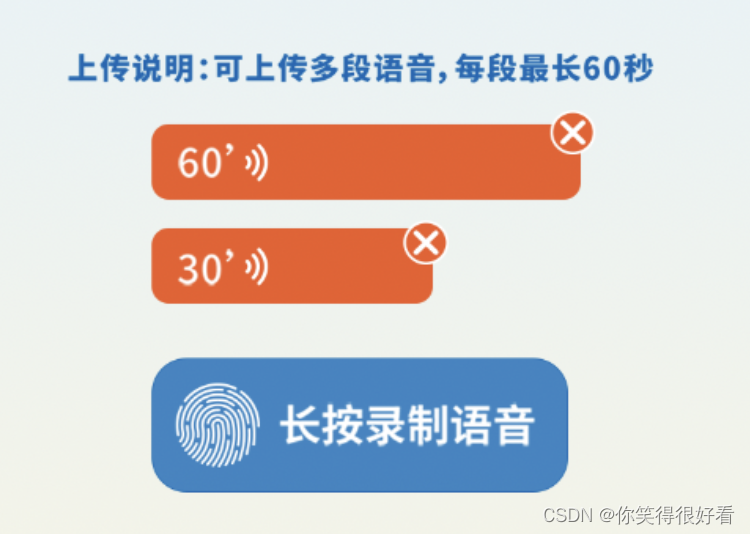
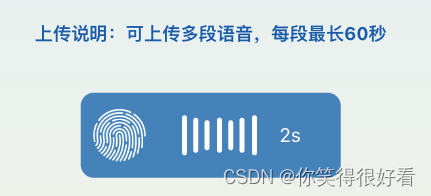
前置条件
老生常谈的去注册你要使用的api接口,注册所需参数后端提供,initWechat()可以在入口处调用
import wx from 'weixin-jsapi'
import { wechatConfig } from '@/api/index'

const jsApiList = [
  'startRecord',
  'stopRecord',
  'onVoiceRecordEnd',
  'playVoice',
  'pauseVoice',
  'stopVoice',
  'onVoicePlayEnd',
  'uploadVoice',
  'downloadVoice',
  'onMenuShareAppMessage',
  'onMenuShareTimeline'
]

export function initWechat() {
  wechatConfig({
    url: encodeURIComponent(location.href)
  }).then((res) => {
    if (res.code === 200) {
      // <!--通过config接口注入权限验证配置-->
      wx.config({
        debug: false, // 开启调试模式,调用的所有api的返回值会在客户端alert出来,若要查看传入的参数,可以在pc端打开,参数信息会通过log打出,仅在pc端时才会打印。
        appId: res.data.appId, // 必填,公众号的唯一标识
        timestamp: res.data.timestamp, // 必填,生成签名的时间戳
        nonceStr: res.data.nonceStr, // 必填,生成签名的随机串
        signature: res.data.signature, // 必填,签名
        jsApiList: jsApiList, // 必填,需要使用的JS接口列表
        success: () => {}
      })
    }
  })
}
录音代码
长按录音,松开添加到录音列表,每段录音微信api最长支持60s
<div class="long-tap-btn" @touchstart="onStartRecording" @touchend="stopRecording">
   <img class="icon" @click.prevent>
   <div v-show="isRecording" class="record">
     <div class="item item1" />
     <div class="item item2" />
     <div class="item item3" />
     <div class="item item4" />
     <div class="item item3" />
     <div class="item item2" />
     <div class="item item1" />
     <div class="time">{{ btnDuration }}s</div>
   </div>
   <span v-show="!isRecording" class="btn-txt">长按录制语音</span>
 </div>
// 长按录音
onStartRecording(event) {
 event.preventDefault()
 clearTimeout(this.timeOutEvent)
 clearInterval(this.btnDurationTimer)
 this.btnDuration = 1

 // 手指按住500ms才算长按
 this.timeOutEvent = setTimeout(() => {
   this.timeOutEvent = 0
   this.isRecording = true
   this.recordStartTime = new Date().getTime()
   wx.startRecord()
   // 监听录音结束事件 超过60s自动执行
   wx.onVoiceRecordEnd({
     complete: res => {
       clearTimeout(this.timeOutEvent)
       this.onRecorded(res.localId)
       this.timeOutEvent = 1
     }
   })
   // 为了添加具体录制多长时间,微信未提供根据localId获取时长,所以用定时器实现
   this.btnDurationTimer = setInterval(() => {
     this.btnDuration++
     if (this.btnDuration >= 60) clearInterval(this.btnDurationTimer)
   }, 1000)
 }, 500)
 return false
},
//停止录音
stopRecording() {
 clearTimeout(this.timeOutEvent)
 const { timeOutEvent } = this
 this.isRecording = false
 clearInterval(this.btnDurationTimer)

 if (timeOutEvent === 0) {
   wx.stopRecord({
     success: res => {
       this.onRecorded(res.localId)
     }
   })
 }
 return false
},
// 录制结束逻辑处理
onRecorded(localId) {
  const { recordStartTime } = this
  const endTime = new Date().getTime()
  const arrItem = {
    localId,
    duration: (endTime - recordStartTime) / 1000
  }
  if (arrItem.duration < 1) {
    Toast('录制时间太短,请重新录制')
    return
  }
  if (arrItem.duration >= 60) {
    arrItem.duration = 60
  } else {
    arrItem.duration = Math.ceil(arrItem.duration)
  }
  // 后端需要的的是serverId,localId仅作为当前页面即时播放和转换serverId
  wx.uploadVoice({
    localId,
    isShowProgressTips: 0,
    success: res => {
      arrItem.url = res.serverId
      this.voiceList.push(arrItem)
    }
  })
  this.isRecording = false
},
播放录音,暂停录音
// tips 离开页面或者删除时记得判断当前录音是否还在播放中 播放的话需要停止播放
// 播放录音
 onPlayVoice(item, index) {
   this.currentPlayLocalId = item.localId
   if (index === this.currentPlay) {
     wx.pauseVoice({
       localId: item.localId
     })
     this.currentPlay = -1
   } else {
     wx.playVoice({
       localId: item.localId
     })
     this.currentPlay = index
     wx.onVoicePlayEnd({
       success: () => {
         this.currentPlay = -1
       }
     })
   }
 },
 // 删除录音
 onDelVoice(index) {
   const { stepData, currentStep } = this
   stepData[currentStep].voiceList.splice(index, 1)
   this.stopPlayHandle()
 },
 stopPlayHandle() {
   this.currentPlay = -1
   wx.stopVoice({
     localId: this.currentPlayLocalId
   })
 }
到这差不多就结束啦,在vue中使用微信jssdk还是有点坑的,不过按部就班的还是很简单的…
彩蛋
坑
对接的时候遇到了在ios正常,但是在安卓会出现调用录音api时,签名失效,wx.config和其他的都是正常的,排查半天想起来之前做支付遇到过类似问题,在录音或者支付的时候,前置页面不能使用vue路由进行跳转,需要使用location.href进行跳转,下图是gpt的解释: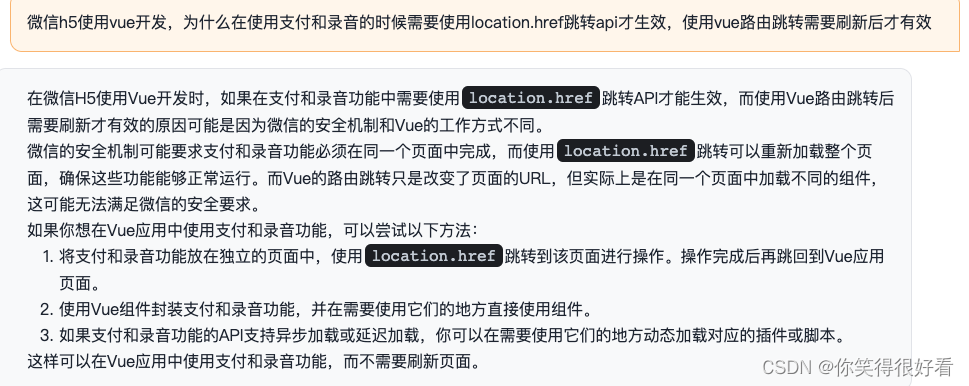
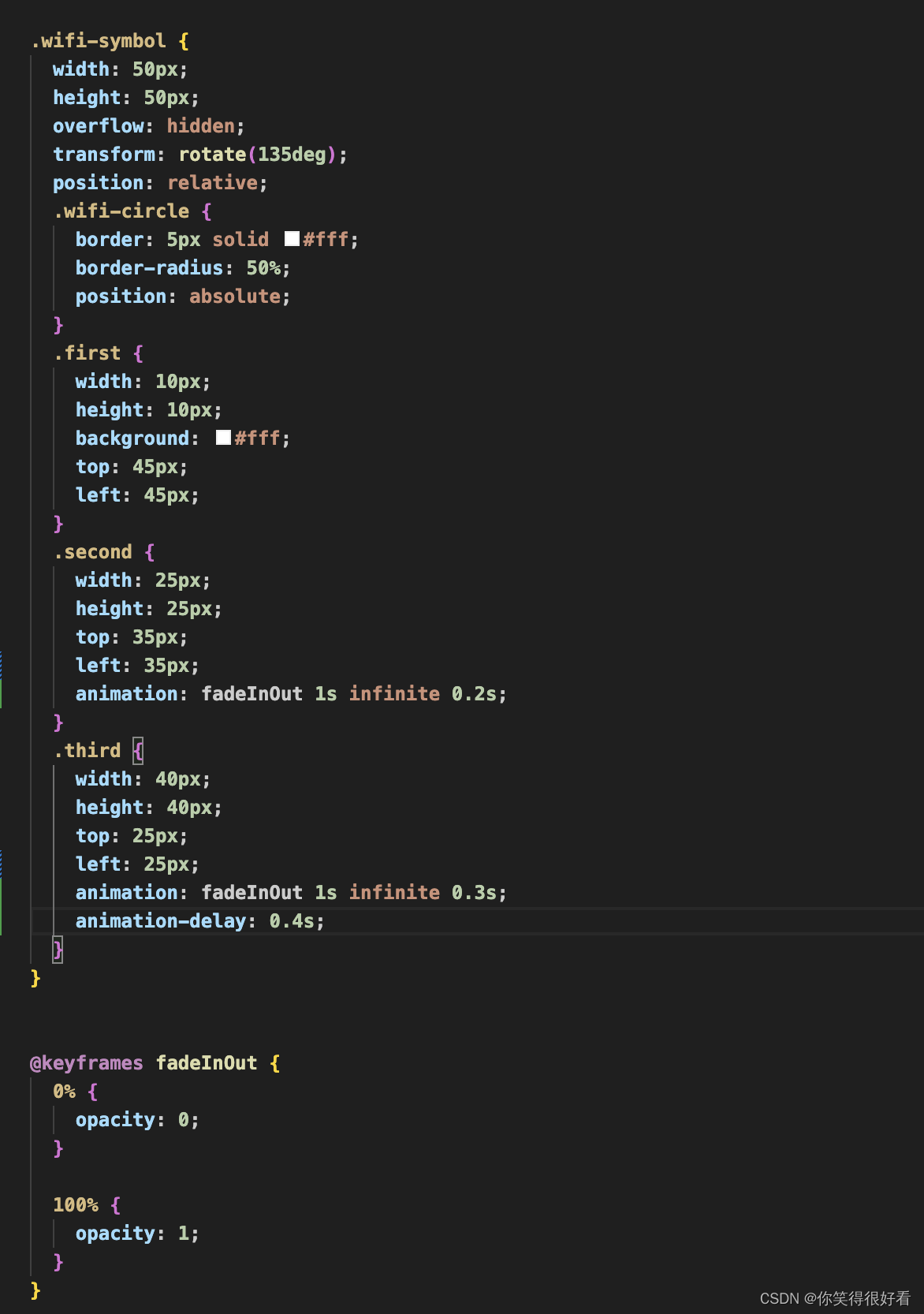
用到的动画 wifi播放和波浪录制动效
播放(wifi)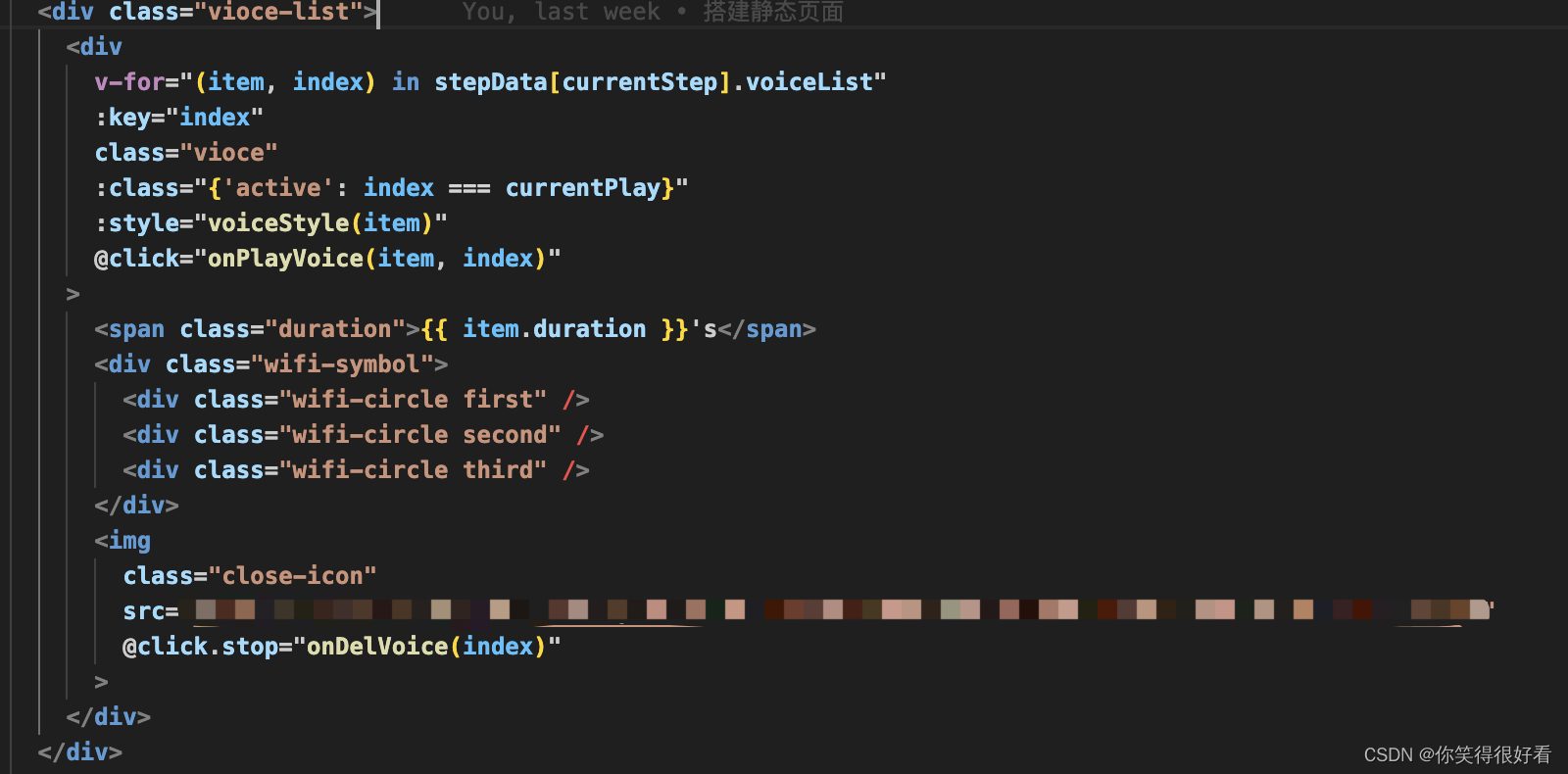
波浪
 .item {
   width: 8px;
   background-color: #fff;
   margin: 0 5px;
   border-radius: 10px;
   animation: volume 1s linear infinite;
   &.item1 {
     animation-delay: 0s;
   }
   &.item2 {
     animation-delay: 0.1s;
   }
   &.item3 {
     animation-delay: 0.2s;
   }
   &.item4 {
       animation-delay: 0.1s;
   }
 }
 @keyframes volume {
  0% {
    height: 20%;
  }
  25% {
    height: 45%;
  }
  50% {
    height: 65%;
  }
  75% {
    height: 45%;
  }
  100% {
    height: 20%;
  }
}
完结撒花🎉

电影级数字人,免显卡端渲染SDK,十行代码即可调用,工业级demo免费开源下载!
更多推荐


 3
3 0
0- 0


 已为社区贡献1条内容

所有评论(0)