
【unity小技巧】unity3d环境带雾的昼夜系统变化
【unity小技巧】unity3d环境带雾的昼夜系统变化
·
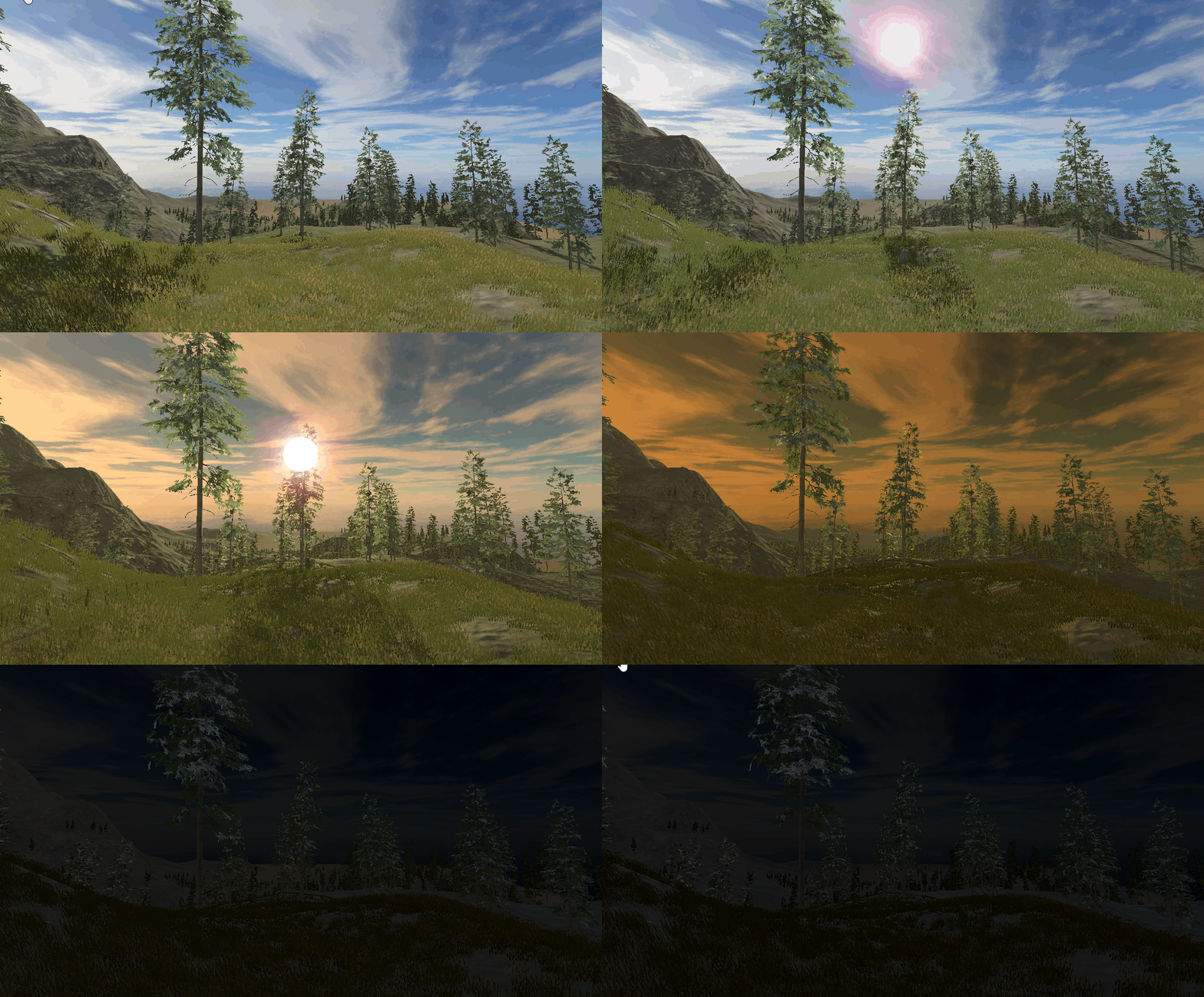
最终效果
眩光素材
链接:https://pan.baidu.com/s/1qlFSJSju6ZjwCylwkh14eA?pwd=veww
提取码:veww
眩光配置
眩光其实可以简单的理解为太阳或月亮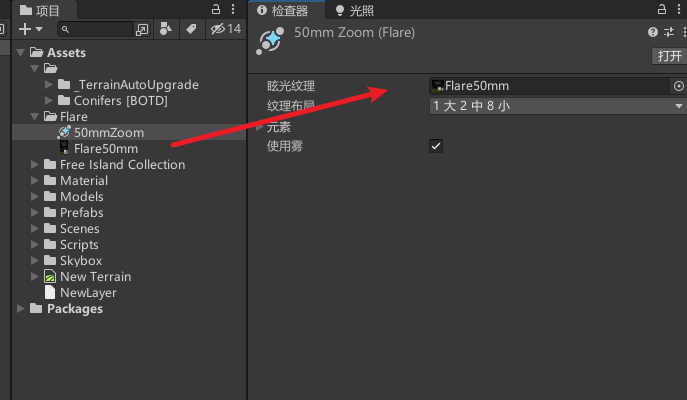
全局灯光配置
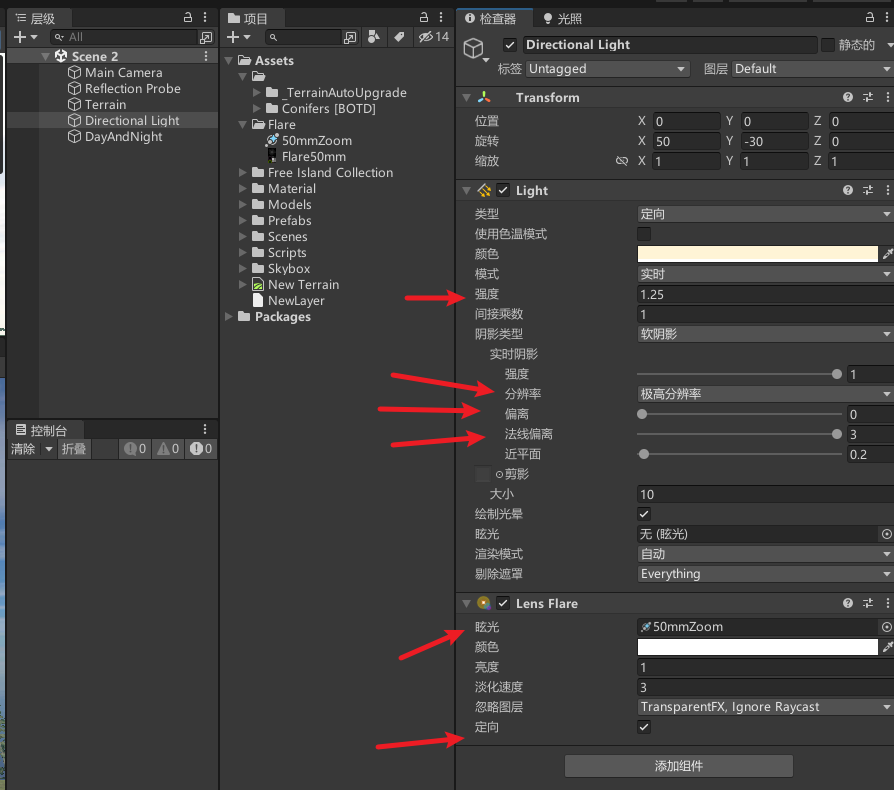
想要相机显示眩光,需要在相机添加Flare Layer组件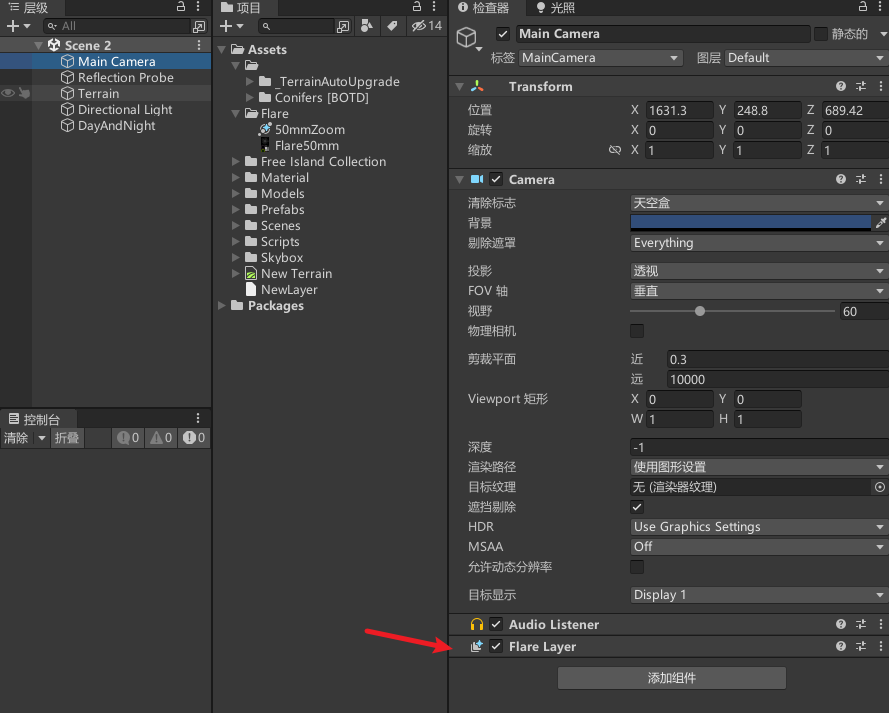
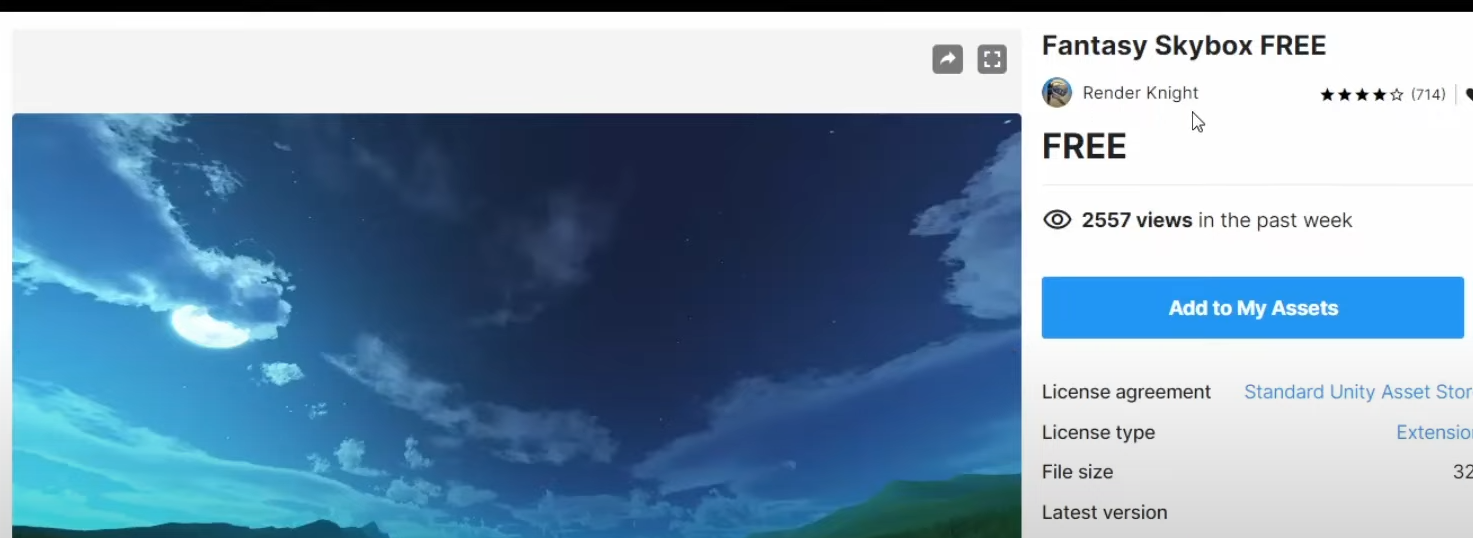
天空盒配置
天空盒资产
配置天空盒,开启雾
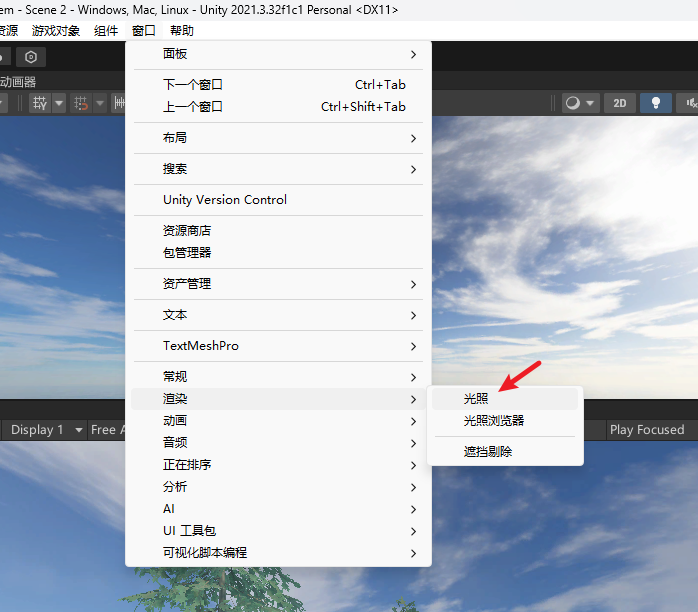
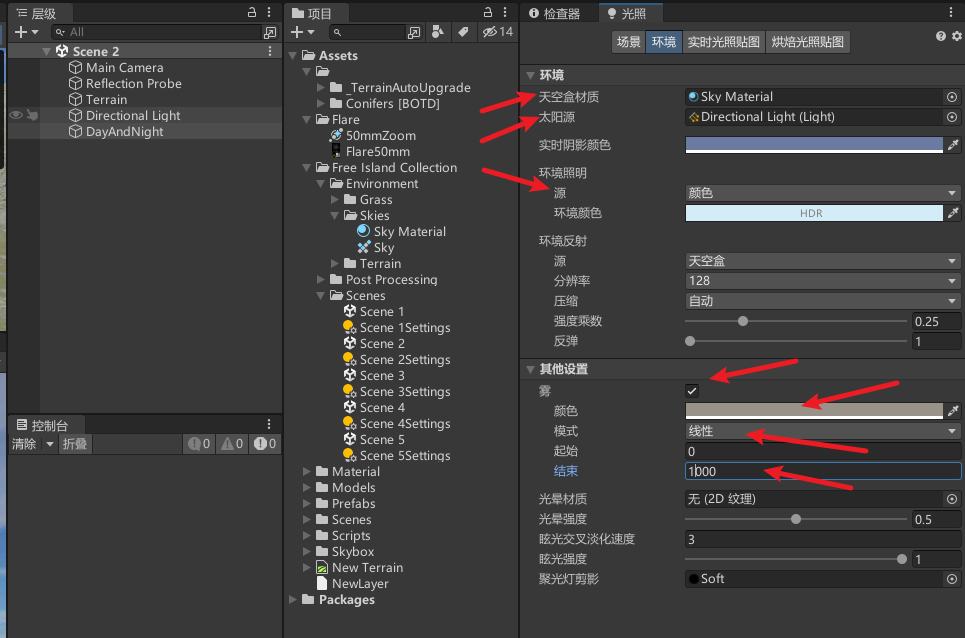
代码控制天空盒 环境 雾 灯光昼夜交替变化
public class DayAndNight : MonoBehaviour
{
    [Header("雾的颜色渐变")]
    [SerializeField] private Gradient fogGradient;
    [Header("环境光颜色渐变")]
    [SerializeField] private Gradient ambientGradient;
    [Header("太阳光颜色渐变")]
    [SerializeField] private Gradient directionLightGradient;
    [Header("天空盒色调渐变")]
    [SerializeField] private Gradient skyboxTintGradient;

    [Header("方向光源")]
    [SerializeField] private Light directionalLight;
    [Header("天空盒材质")]
    [SerializeField] private Material skyboxMaterial;

    [Header("白天持续时间(秒)")]
    [SerializeField] private float dayDurationInSeconds = 60f;
    [Header("天空盒旋转速度")]
    [SerializeField] private float rotationSpeed = 1f;

    private float currentTime = 0;  // 当前时间(0-1)

    private void Update()
    {
        UpdateTime();
        UpdateDayNightCycle();
        RotateSkybox();
    }

    // 更新当前时间
    private void UpdateTime()
    {
        currentTime += Time.deltaTime / dayDurationInSeconds;
        currentTime = Mathf.Repeat(currentTime, 1f);
    }

    // 更新白天黑夜循环效果
    private void UpdateDayNightCycle()
    {
        // 计算太阳的位置
        float sunPosition = Mathf.Repeat(currentTime + 0.25f, 1f);
        directionalLight.transform.rotation = Quaternion.Euler(sunPosition * 360f, 0f, 0f);

        // 更新雾、环境光、太阳光和天空盒的颜色
        RenderSettings.fogColor = fogGradient.Evaluate(currentTime);
        RenderSettings.ambientLight = ambientGradient.Evaluate(currentTime);
        directionalLight.color = directionLightGradient.Evaluate(currentTime);
        skyboxMaterial.SetColor("_Tint", skyboxTintGradient.Evaluate(currentTime));
    }

    // 旋转天空盒
    private void RotateSkybox()
    {
        float currentRotation = skyboxMaterial.GetFloat("_Rotation");
        float newRotation = currentRotation + rotationSpeed * Time.deltaTime;
        newRotation = Mathf.Repeat(newRotation, 360f);
        skyboxMaterial.SetFloat("_Rotation", newRotation);
    }

    // 在应用程序退出时重置天空盒颜色
    private void OnApplicationQuit()
    {
        skyboxMaterial.SetColor("_Tint", new Color(0.5f, 0.5f, 0.5f));
    }
}
配置参数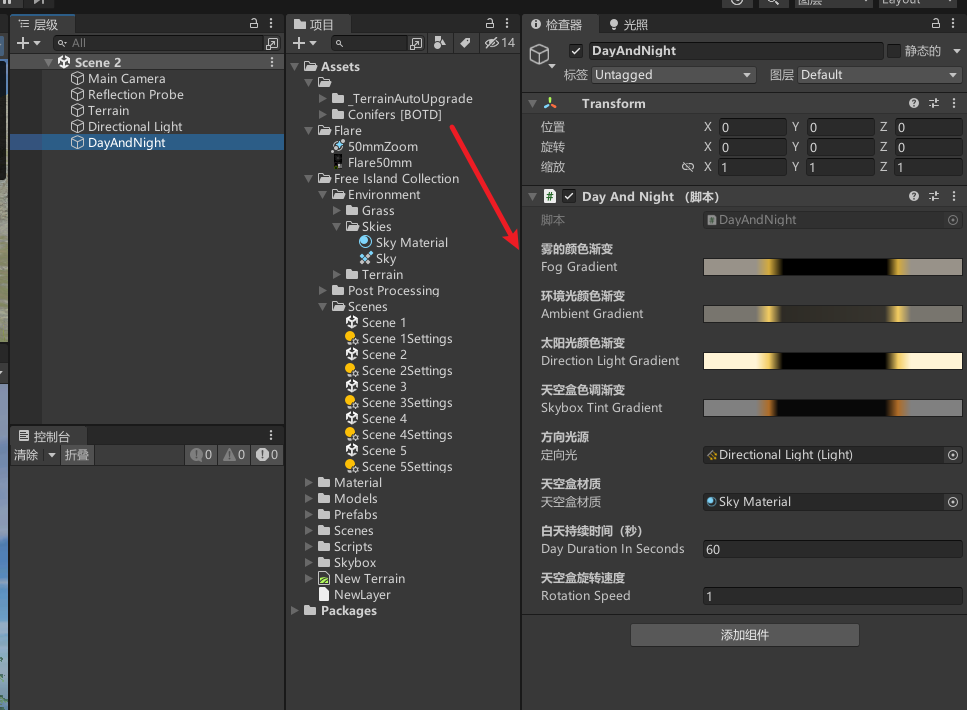
配置20 25 30 70 75 80位置的灯光颜色,具体的需要根据自己的天空盒 环境等,调配出适合的颜色和过渡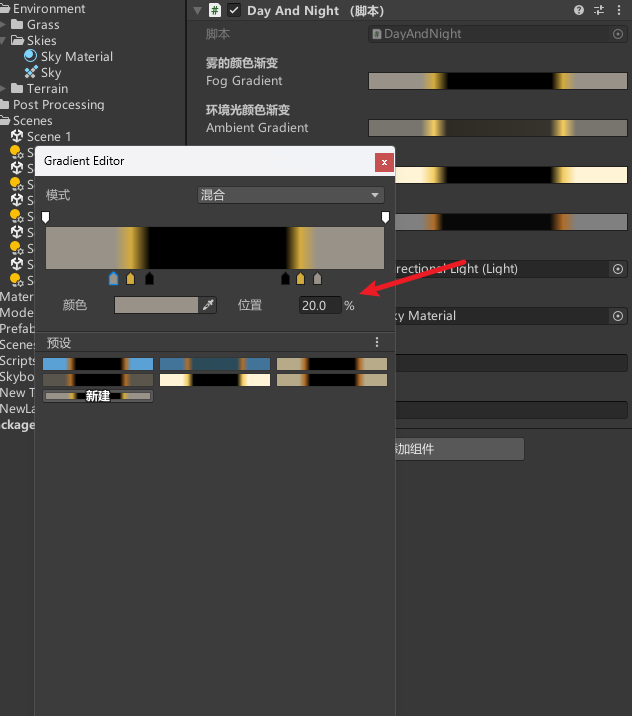
效果
加眩光
参考
【视频】https://www.youtube.com/watch?v=ME6Bh9Hclgk
完结
赠人玫瑰,手有余香!如果文章内容对你有所帮助,请不要吝啬你的点赞评论和关注,以便我第一时间收到反馈,你的每一次支持都是我不断创作的最大动力。当然如果你发现了文章中存在错误或者有更好的解决方法,也欢迎评论私信告诉我哦!
好了,我是向宇,https://xiangyu.blog.csdn.net
一位在小公司默默奋斗的开发者,出于兴趣爱好,最近开始自学unity,闲暇之余,边学习边记录分享,站在巨人的肩膀上,通过学习前辈们的经验总是会给我很多帮助和启发!php是工作,unity是生活!如果你遇到任何问题,也欢迎你评论私信找我, 虽然有些问题我也不一定会,但是我会查阅各方资料,争取给出最好的建议,希望可以帮助更多想学编程的人,共勉~


电影级数字人,免显卡端渲染SDK,十行代码即可调用,工业级demo免费开源下载!
更多推荐


 26
26 0
0- 0


 已为社区贡献5条内容

所有评论(0)