
基于高通跃龙IQ-9100打造具身智能机器人视觉SLAM与自主导航系统(3): 建图导航实战与鲁棒性保障
摘要: 本文介绍了Nav2导航系统的实战部署流程,包含三大核心模块:1)使用Cartographer进行SLAM建图,提供完整的建图脚本和地图保存方法;2)集成导航系统启动配置,融合EKF定位、Nav2导航栈和AI动态障碍物检测;3)通过Nav2 SimpleCommander API实现单点导航与多点巡逻功能。特别设计了定位失效恢复策略,包括EKF重初始化机制和定位质量监控模块,确保系统长期稳定
·
前言
上篇我们完成了Nav2导航栈的深度配置,并实现了NPU加速的动态障碍物检测与预测。本篇将把这些模块组合起来,进行真实的建图与导航实战,使用Cartographer进行建图,启动完整导航系统,并通过Nav2 SimpleCommander API实现单点导航和多点巡逻。同时,提供定位失效自动恢复策略和长期运行的鲁棒性保障,最后给出IQ-9100平台上的实测性能指标。
1. 建图与导航实战流程
1.1 建图流程
#!/bin/bash
# mapping.sh - 使用 Cartographer 进行 SLAM 建图

# ===== 1. 启动底层驱动 =====
ros2 launch robot_bringup sensors.launch.py &

# ===== 2. 启动 Cartographer =====
ros2 launch cartographer_ros cartographer.launch.py \
  use_sim_time:=false \
  configuration_directory:=/opt/robot/config \
  configuration_basename:=cartographer_2d.lua &

# ===== 3. 启动 RViz2 可视化(远程PC) =====
# ros2 launch nav2_bringup rviz_launch.py

# ===== 4. 遥控机器人建图 =====
ros2 run teleop_twist_keyboard teleop_twist_keyboard

# ===== 5. 建图完成后保存地图 =====
# 方法A: 保存 Cartographer pbstream
ros2 service call /write_state cartographer_ros_msgs/srv/WriteState "{filename: '/opt/robot/maps/office_map.pbstream'}"

# 方法B: 同时保存 Nav2 格式的栅格地图
ros2 run nav2_map_server map_saver_cli -f /opt/robot/maps/office_map --ros-args -p save_map_timeout:=10000
1.2 导航启动
# robot_bringup/launch/navigation.launch.py
# 完整导航系统 Launch 文件

from launch import LaunchDescription
from launch_ros.actions import Node
from launch.actions import IncludeLaunchDescription, DeclareLaunchArgument
from launch.launch_description_sources import PythonLaunchDescriptionSource
from launch.substitutions import LaunchConfiguration
from ament_index_python.packages import get_package_share_directory
import os

def generate_launch_description():
    nav2_dir = get_package_share_directory('nav2_bringup')
    config_dir = '/opt/robot/config'
    map_file = '/opt/robot/maps/office_map.yaml'

    return LaunchDescription([
        DeclareLaunchArgument('map', default_value=map_file),
        DeclareLaunchArgument('use_sim_time', default_value='false'),

        # EKF 多源融合定位
        Node(
            package='robot_localization',
            executable='ekf_node',
            name='ekf_filter_node',
            output='screen',
            parameters=[os.path.join(config_dir, 'ekf_params.yaml')],
        ),

        # Nav2 导航栈
        IncludeLaunchDescription(
            PythonLaunchDescriptionSource(
                os.path.join(nav2_dir, 'launch', 'bringup_launch.py')
            ),
            launch_arguments={
                'map': LaunchConfiguration('map'),
                'use_sim_time': LaunchConfiguration('use_sim_time'),
                'params_file': os.path.join(config_dir, 'nav2_params.yaml'),
            }.items(),
        ),

        # AI 动态障碍物检测
        Node(
            package='navigation',
            executable='dynamic_obstacle_node',
            name='dynamic_obstacle',
            parameters=[{
                'prediction_horizon': 2.0,
                'prediction_dt': 0.2,
                'safety_radius_person': 0.5,
            }],
            output='screen',
        ),
    ])
1.3 导航API调用
# 导航任务调用示例
# 使用 Nav2 SimpleCommander API

import rclpy
from nav2_simple_commander.robot_navigator import BasicNavigator
from geometry_msgs.msg import PoseStamped
import math
import time

def create_pose(x, y, yaw, frame='map'):
    pose = PoseStamped()
    pose.header.frame_id = frame
    pose.pose.position.x = x
    pose.pose.position.y = y
    pose.pose.orientation.z = math.sin(yaw / 2.0)
    pose.pose.orientation.w = math.cos(yaw / 2.0)
    return pose

def main():
    rclpy.init()
    navigator = BasicNavigator()

    # 等待Nav2就绪
    navigator.waitUntilNav2Active()
    print("Nav2 is active!")

    # 1. 设置初始位姿
    initial_pose = create_pose(0.0, 0.0, 0.0)
    navigator.setInitialPose(initial_pose)
    time.sleep(2)

    # 2. 单点导航
    goal = create_pose(5.0, 3.0, 1.57)
    print("Navigating to meeting room...")
    navigator.goToPose(goal)

    while not navigator.isTaskComplete():
        feedback = navigator.getFeedback()
        if feedback:
            eta = feedback.estimated_time_remaining.sec
            dist = feedback.distance_remaining
            print(f"ETA: {eta}s, Distance: {dist:.2f}m")
        time.sleep(0.5)

    result = navigator.getResult()
    print(f"Navigation result: {result}")

    # 3. 多点巡逻
    patrol_points = [
        create_pose(0.0, 0.0, 0.0),
        create_pose(5.0, 0.0, 1.57),
        create_pose(5.0, 5.0, 3.14),
        create_pose(0.0, 5.0, -1.57),
    ]

    print("\nStarting patrol...")
    while True:
        for i, point in enumerate(patrol_points):
            print(f"Patrol waypoint {i+1}/{len(patrol_points)}")
            point.header.stamp = navigator.get_clock().now().to_msg()
            navigator.goToPose(point)

            while not navigator.isTaskComplete():
                time.sleep(1.0)

            print(f"Reached waypoint {i+1}")
            time.sleep(3)

    navigator.lifecycleShutdown()
    rclpy.shutdown()

if __name__ == '__main__':
    main()
2. 鲁棒性与长期运行保障
2.1 定位失效恢复策略
# navigation/localization_monitor.py
# 定位质量监控 + 自动恢复

import rclpy
from rclpy.node import Node
from geometry_msgs.msg import PoseWithCovarianceStamped
from nav_msgs.msg import Odometry
from std_msgs.msg import Bool
import numpy as np
import time

class LocalizationMonitor(Node):
    """
    定位质量监控器
    检测定位漂移/跳变/丢失,触发恢复策略
    """

    def __init__(self):
        super().__init__('localization_monitor')

        self.declare_parameter('max_covariance', 0.5)
        self.declare_parameter('max_jump_distance', 1.0)
        self.declare_parameter('check_interval', 1.0)

        self.last_pose = None
        self.last_time = None
        self._lost_count = 0

        self.create_subscription(PoseWithCovarianceStamped, '/amcl_pose', self._pose_callback, 10)

        self.relocalize_pub = self.create_publisher(PoseWithCovarianceStamped, '/initialpose', 10)
        self.nav_ok_pub = self.create_publisher(Bool, '/localization_ok', 10)

        self.create_timer(self.get_parameter('check_interval').value, self._check_loop)

        self.get_logger().info('Localization monitor started')

    def _pose_callback(self, msg):
        x = msg.pose.pose.position.x
        y = msg.pose.pose.position.y
        cov = msg.pose.covariance
        cov_xx = cov[0]
        cov_yy = cov[7]
        cov_norm = np.sqrt(cov_xx**2 + cov_yy**2)
        max_cov = self.get_parameter('max_covariance').value

        if self.last_pose is not None:
            dist = np.sqrt((x - self.last_pose[0])**2 + (y - self.last_pose[1])**2)
            max_jump = self.get_parameter('max_jump_distance').value

            if dist > max_jump:
                self.get_logger().warning(f'Position jump detected: {dist:.2f}m')
                self._lost_count += 1

        if cov_norm > max_cov:
            self.get_logger().warning(f'High covariance: {cov_norm:.3f} > {max_cov}')
            self._lost_count += 1
        else:
            self._lost_count = max(0, self._lost_count - 1)

        self.last_pose = (x, y)
        self.last_time = time.time()

    def _check_loop(self):
        ok = self._lost_count < 3
        msg = Bool()
        msg.data = ok
        self.nav_ok_pub.publish(msg)

        if self._lost_count >= 5:
            self.get_logger().error('Localization lost! Triggering global re-localization')
            self._trigger_relocalization()
            self._lost_count = 0

    def _trigger_relocalization(self):
        """触发全局重定位"""
        self.get_logger().info('Publishing dispersed particles for AMCL')
        msg = PoseWithCovarianceStamped()
        msg.header.frame_id = 'map'
        msg.header.stamp = self.get_clock().now().to_msg()
        if self.last_pose:
            msg.pose.pose.position.x = self.last_pose[0]
            msg.pose.pose.position.y = self.last_pose[1]
        msg.pose.covariance[0] = 5.0    # large x variance
        msg.pose.covariance[7] = 5.0    # large y variance
        msg.pose.covariance[35] = 2.0   # large yaw variance
        self.relocalize_pub.publish(msg)

def main(args=None):
    rclpy.init(args=args)
    node = LocalizationMonitor()
    rclpy.spin(node)
    node.destroy_node()
    rclpy.shutdown()
2.2 导航性能指标
在IQ-9100上的实测导航性能:
| 指标 | 数值 | 说明 |
|---|---|---|
| SLAM建图精度 | 2-3 cm | Cartographer + 10Hz LiDAR |
| 定位精度 | 3-5 cm | AMCL + EKF融合 |
| 路径规划延迟 | 约50 ms | SmacPlannerHybrid, 20m路径 |
| 局部避障响应 | 约50 ms | MPPI, 20Hz控制频率 |
| 动态避障(AI) | 约100 ms | NPU检测+预测+代价地图更新 |
| 最大导航速度 | 0.8 m/s | 受限于安全距离 |
| CPU总占用 | 约65% | 所有导航相关进程 |
| NPU占用 | 约40% | 动态障碍物检测 |
3. 总结
关键设计要点
- SLAM选型:室内导航首选Cartographer 2D激光SLAM,稳定可靠且CPU开销低
- 多源融合:EKF融合轮式里程计+视觉里程计+IMU,提升定位鲁棒性
- Nav2配置:MPPI控制器比DWB更平滑,SmacPlannerHybrid考虑机器人运动学约束
- AI动态避障:NPU检测动态物体并预测轨迹,注入代价地图实现预见性避障
- 鲁棒性:定位质量监控+自动重定位+导航恢复行为,保障7×24小时稳定运行
参考资料
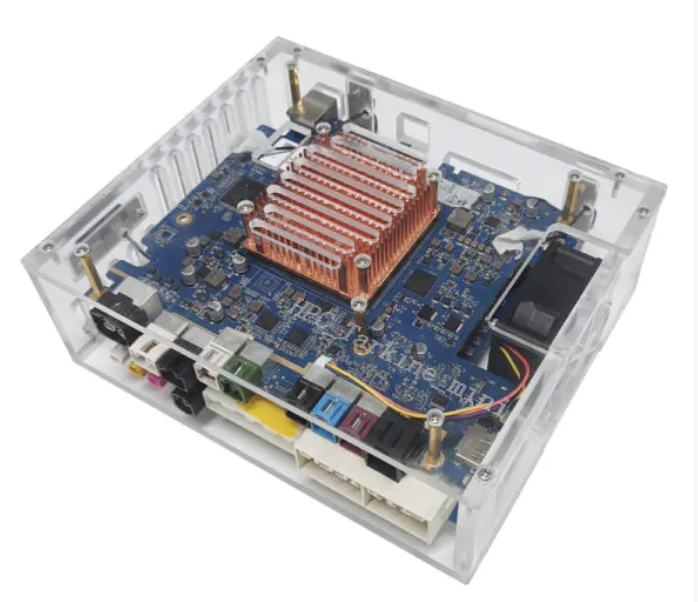
作者说:导航是机器人"行动力"的核心。IQ-9100强大的CPU可以同时运行SLAM和Nav2而不互相挤占,NPU则为动态避障提供AI加速。后面我们将进入机器人的"操作力"—视觉引导的机械臂抓取系统开发。
(全文完)

电影级数字人,免显卡端渲染SDK,十行代码即可调用,工业级demo免费开源下载!
更多推荐


 4
4 0
0- 0


 已为社区贡献11条内容

所有评论(0)