
小显存(12G)部署Wan2.2视频生成模型
如果你有 8-12G 显存的卡,还是能欢快的跑起来 wan2.2 的。今天着重介绍一下如何在国内环境下,本地部署 Wan2.2 + Comfyui 的工作流,为了能在小显存下运行起来,我会选择量化版本(GGUF)。
小显存(12G)部署Wan2.2视频生成模型
今天着重介绍一下如何在国内环境下,本地部署 Wan2.2 + Comfyui 的工作流,为了能在小显存下运行起来,我会选择量化版本(GGUF),如果你有 8-12G 显存的卡,还是能欢快的跑起来的。
前置条件
首先确保你安装了基础的 python、conda 环境,安装了英伟达显卡驱动。
一、安装 pytorch、cuda 等(可选)
如果你已经有了 pytorch、cuda 等环境,可以忽略此步骤
1、创建一个 python 虚拟环境
为了保证稳定性,将 pip 切换为国内的清华源
pip config set global.index-url https://pypi.tuna.tsinghua.edu.cn/simple
创建一个 conda 环境用于 comfyui
conda create -n comfyui python=3.10 -y
conda activate comfyui
2. 安装 PyTorch(必须根据你的 CUDA 版本选择)
先查看你的 CUDA:
nvidia-smi
看右侧的 Driver 版本对应 CUDA,一般是 11.8 或 12.x。
如果你的 CUDA >= 12.1,都使用 12.1
pip install torch torchvision torchaudio --index-url https://download.pytorch.org/whl/cu121
如果你的 CUDA = 11.8
pip install torch torchvision torchaudio --index-url https://download.pytorch.org/whl/cu118
下载的东西比较大,一般要等十来分钟
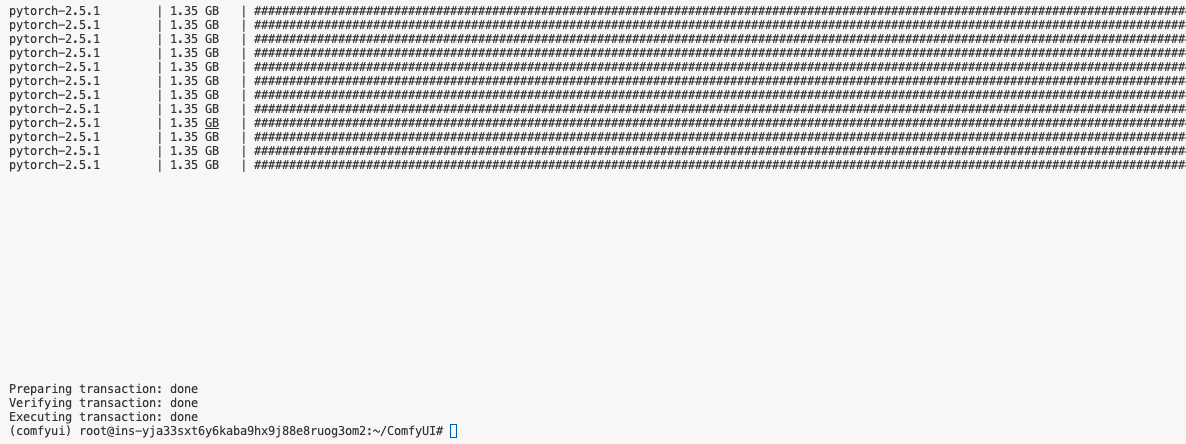
二、安装 Comfyui
1、下载 Comfyui 主仓库
这里我们通过国内 gitee 站点来下载 Comfyui 仓库
PS:如果发现这个仓库太老了,可以用ComfyUI 关键词在 gitee 搜索一下,一般有用户会定时将 github 的仓库同步到 gitee
git clone https://gitee.com/auto-mirrors/comfy-ui.git
2、安装依赖
pip install -r requirements.txt
这一步一般也要十几二十分钟
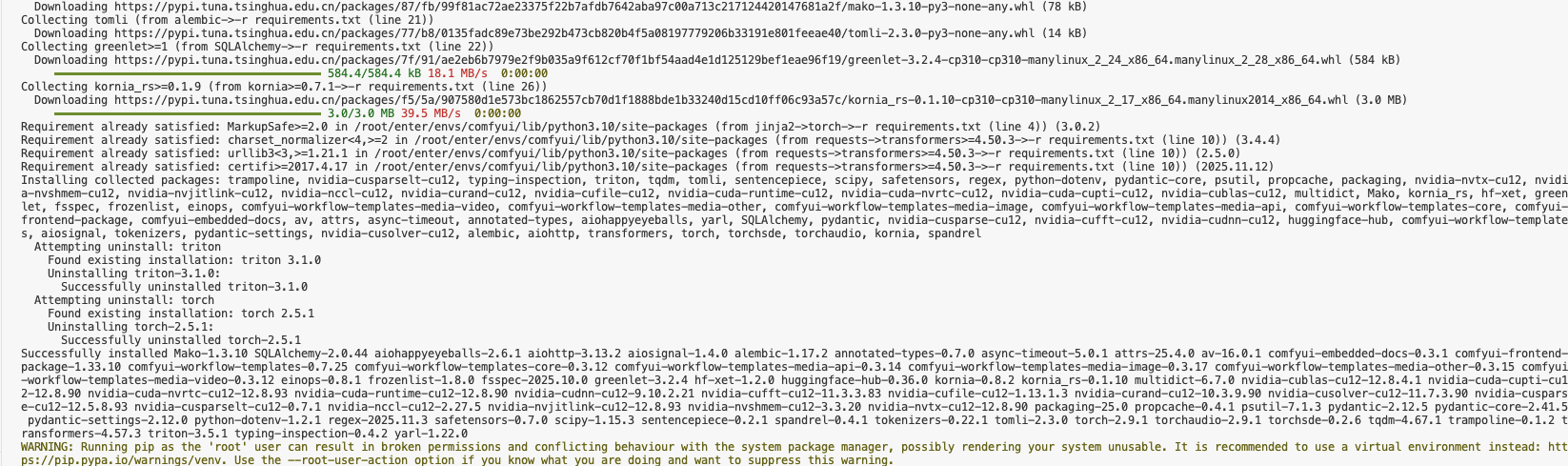
2、先把 ComfyUI 跑起来
在 8188 端口运行 ComfyUI服务
cd ComfyUI
python main.py --listen 0.0.0.0 --port 8188
看到下面的输出代表跑起来了:
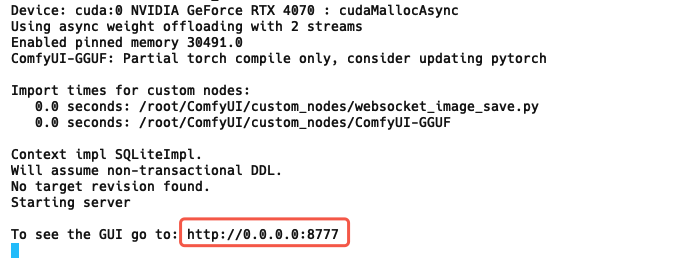
接着就从本地浏览器打开:localhost:8188,可以看到 ComfyUI 成功跑起来了
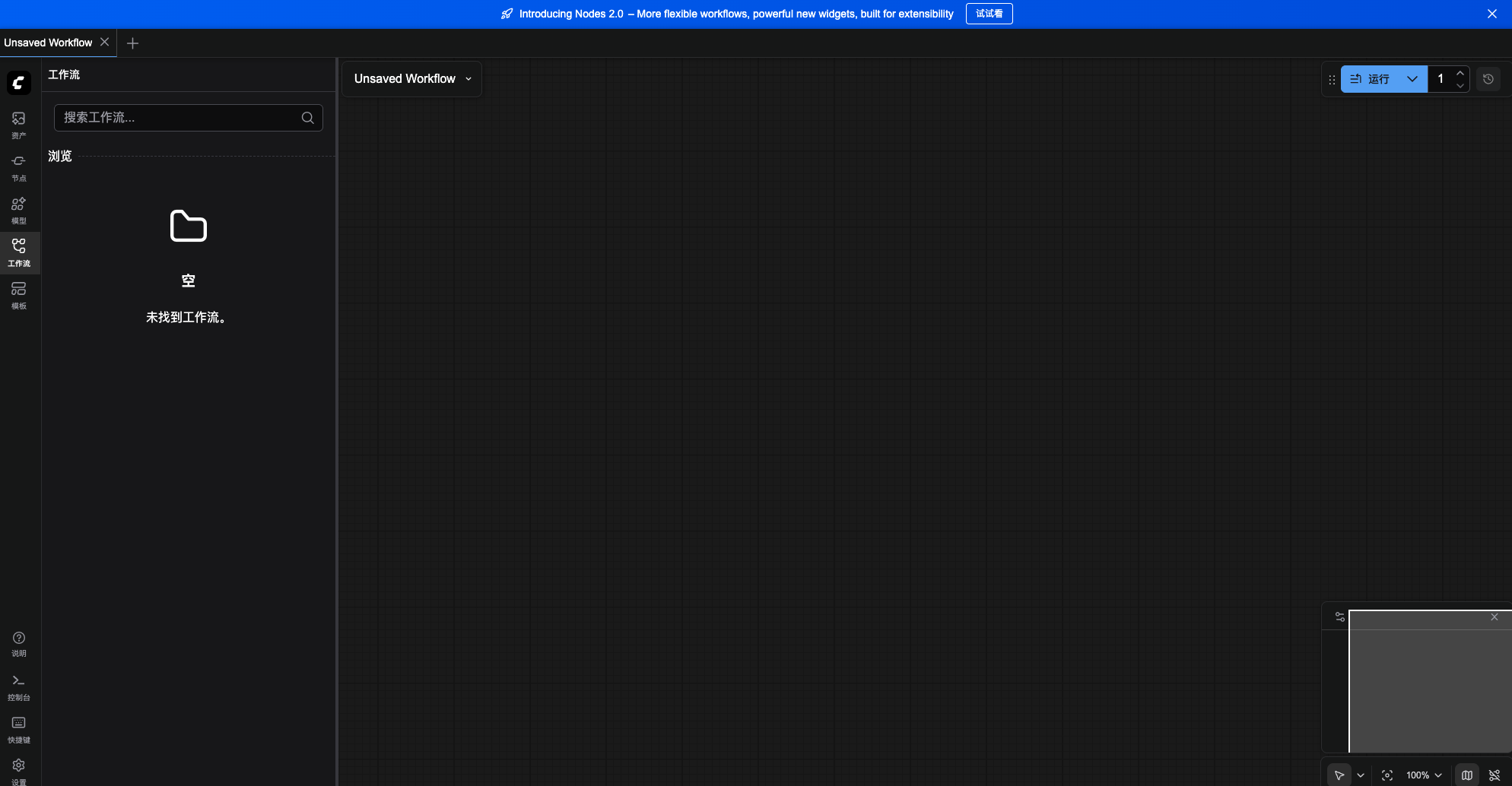
3、安装 Comfyui GGUF 插件
我们要在小显存下使用 Z-Image 模型,一般要用 GGUF 的模型(什么是 GGUF 就自己问问 AI 吧),那么我们就需要在 ComfyUI 的仓库内再下载 Comfyui GGUF 插件仓库并安装:
1.进入本地 ComfyUI 仓库的 custom_nodes 文件夹
cd custom_nodes
2.下载Comfyui GGUF 插件仓库
同样我们从 gitee 下载
git clone https://gitee.com/203014/ComfyUI-GGUF.git
- 安装 gguf 组件
pip install gguf
三、下载模型文件
我们需要下载三个模型:视频生成模型、Text Encoder 模型、vae 模型。
我选用国外大神整合的 wan2.2-rapid-mega-aio 模型,这个mega模型把文生视频和图生视频合成一个模型,我找到了他的 量化版本,以跑在小显存的电脑上,模型仓库可以查看:https://huggingface.co/befox/WAN2.2-14B-Rapid-AllInOne-GGUF。
但是,经过我多次测试,即使从 hugging-face 的镜像 hf-mirror,下载速度也不是最快最稳的,而视频模型通常都非常大,所以我直接在阿里的 modelscope 上下载。
1. 下载视频生成模型
我的电脑有 12G 显存,我选择 wan2.2-rapid-mega-aio-v12.1-Q5_K.gguf 的版本,大家可以根据自己的显存大小选择不同的版本,GGUF模型仓库
cd ..
cd ./models/unet

wget https://www.modelscope.cn/models/befox/WAN2.2-14B-Rapid-AllInOne-GGUF/resolve/master/Mega-v12/wan2.2-rapid-mega-aio-v12-Q5_K.gguf
2. 下载 Clip 模型
同样使用 modelscope 的下载地址,文件保存在 ComfyUI/models/clip/
cd ..
cd ./clip
wget https://www.modelscope.cn/models/city96/umt5-xxl-encoder-gguf/resolve/master/umt5-xxl-encoder-Q5_K_M.gguf
3、下载 vae 模型
我们使用 wan_2.1 的 vae 模型(没错,wan2.2 也是用的 wan2.1 的 vae 模型)
cd ..
cd ./vae
wget https://modelscope.cn/models/Comfy-Org/Wan_2.1_ComfyUI_repackaged/resolve/master/split_files/vae/wan_2.1_vae.safetensors
四、开始炼丹!
经过了那么多步骤,终于可以开始生图了
1、重启一下 comfyui
cd ../../
python main.py --listen 0.0.0.0 --port 8188
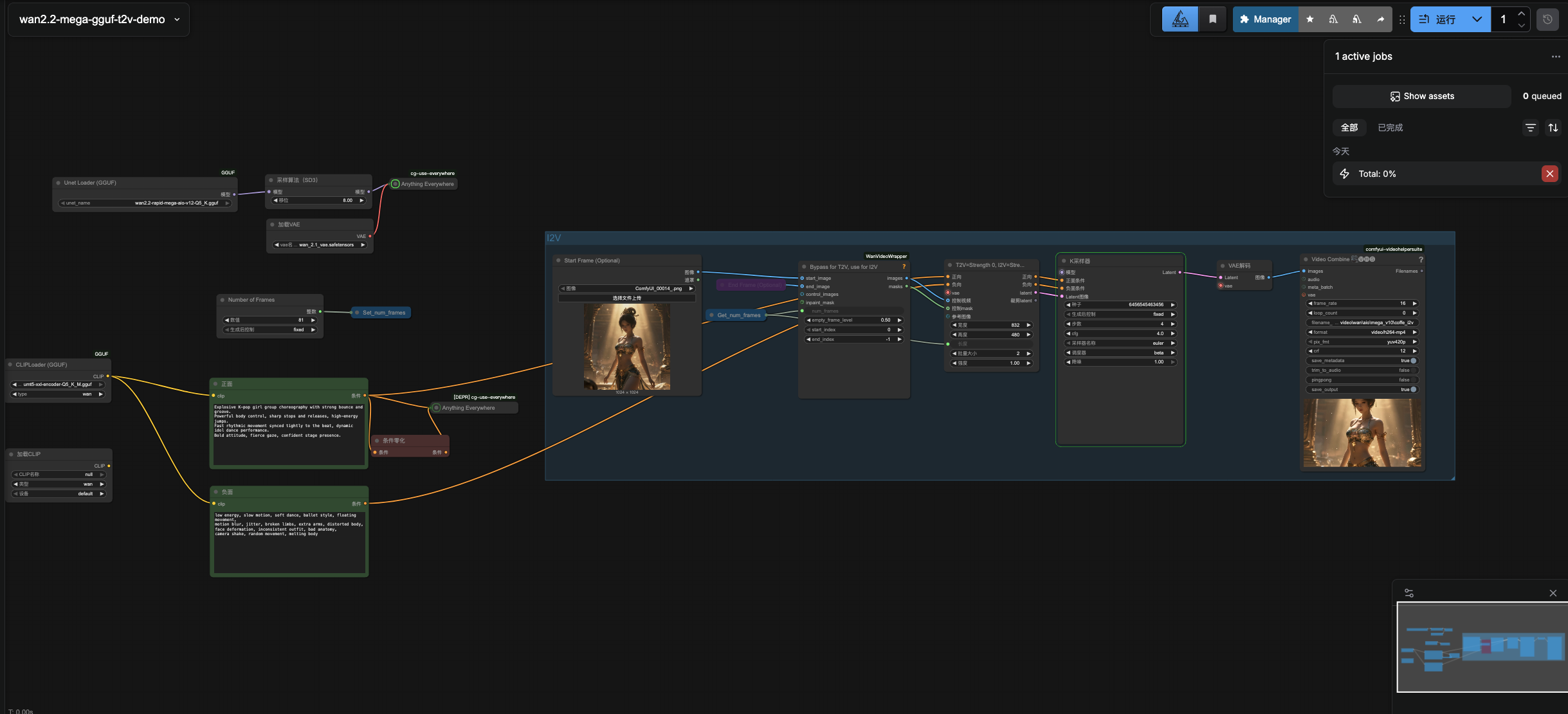
2、导入工作流
我做好了最基本的图生视频工作流,大家只要保存这个文件,然后拖入到浏览器的 comfui 窗口中,就能把工作流自动导入:
图生视频工作流下载
拖入后变成:
3、上传首帧图片
在这里上传视频的首帧图片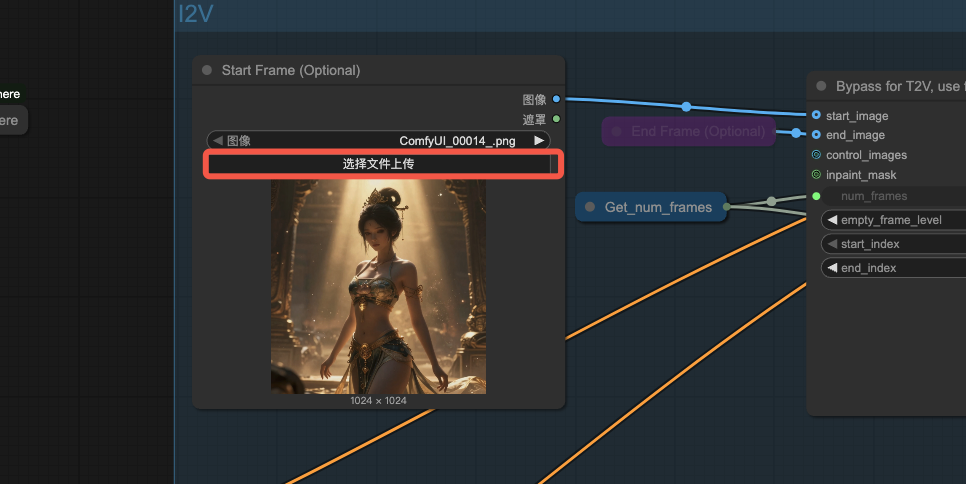
4、提示词
在这里写正面提示词: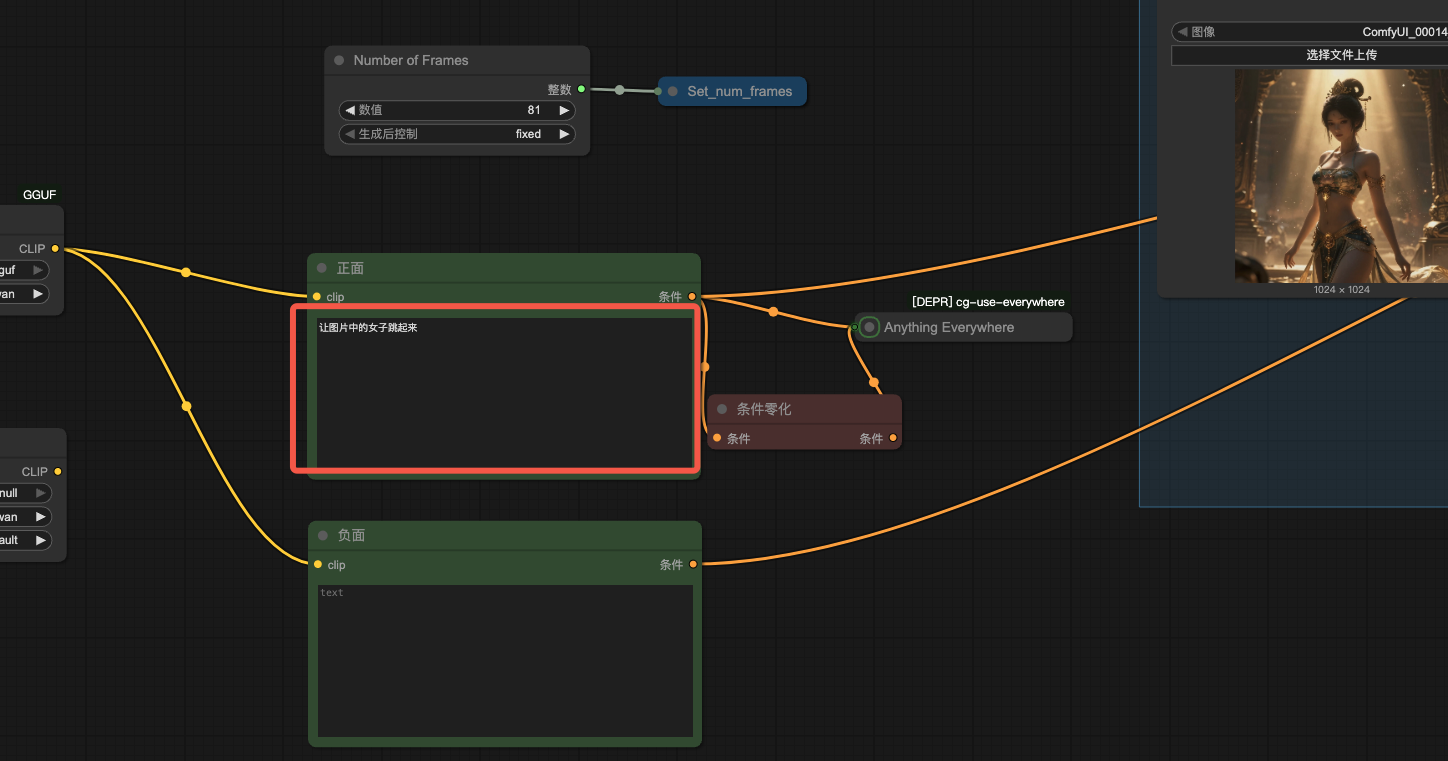
我让 GPT 帮我生成了提示词,大家如果不会写,也可以让 AI 帮你处理,熟悉了之后就可以自己加工:
A K-pop girl group dancer begins a powerful, energetic choreography.
Sharp and rhythmic movements, strong beats, dynamic hip and shoulder motions, fast footwork.
Korean girl group dance style, idol performance, confident and charismatic expression.
The dancer moves in sync with an intense K-pop beat, creating a bouncy and energetic rhythm.
Smooth yet punchy transitions between poses, lively jumps and quick turns.
Stylish stage outfit, modern Korean fashion, clean makeup, glossy lighting.
Cinematic lighting, high-energy atmosphere, performance stage vibe.
The camera slightly follows the dancer, subtle handheld motion, dynamic framing.
Ultra smooth motion, high frame consistency, no distortion.
负面提示词可写可不写
5、生成视频
点击运行,等待 3-20 分钟就能获得视频了(取决于你显卡的给力程度)
下面是生成的最终视频文件:
视频文件

五、一些常见的问题
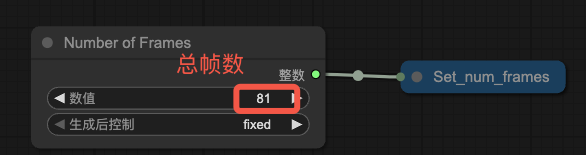
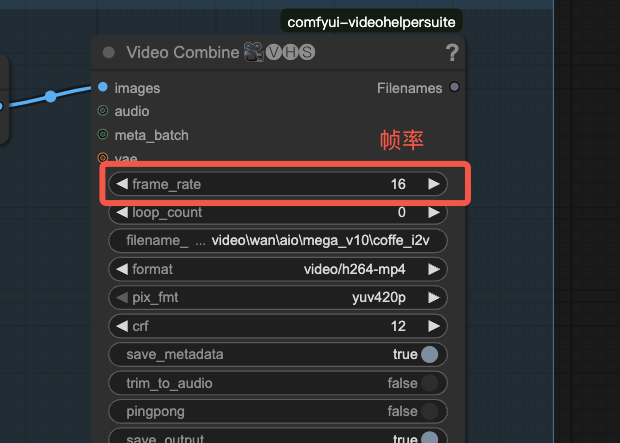
Q1:如何设置生成的视频长度?
A:在 Number of Frame 节点上可以设置视频的总帧数。
如果你要设置时长为 5 秒,帧率为 16,则总帧数 5 x 16 = 80
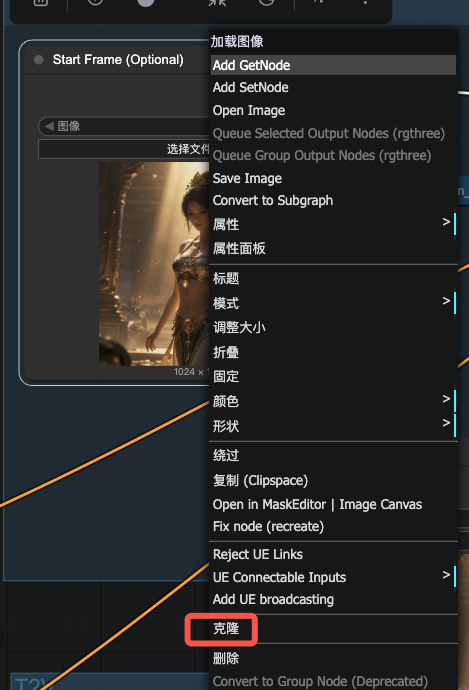
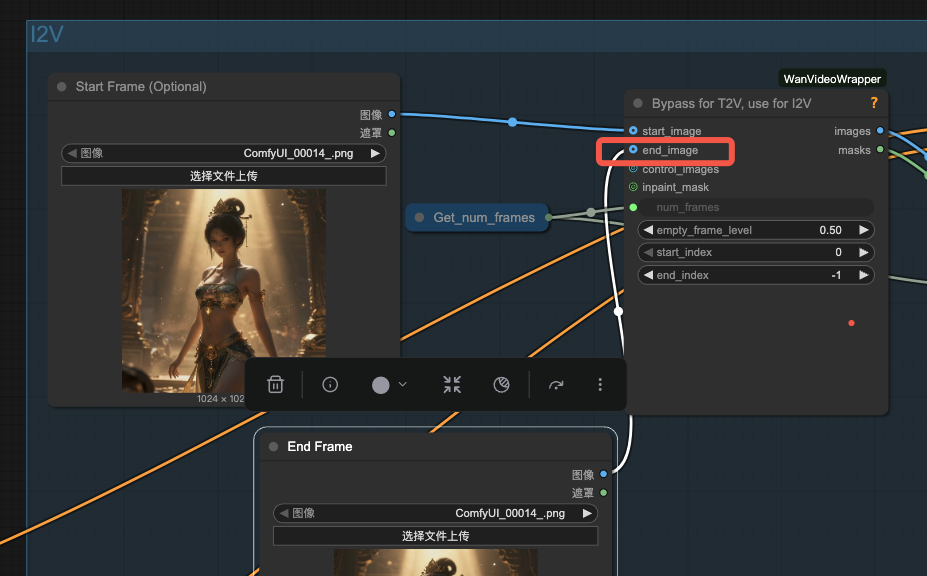
Q2:如何给一个结束帧参考?
A:右键点击StartFrame节点,克隆,重命名为 EndFrame,然后连到 end_image
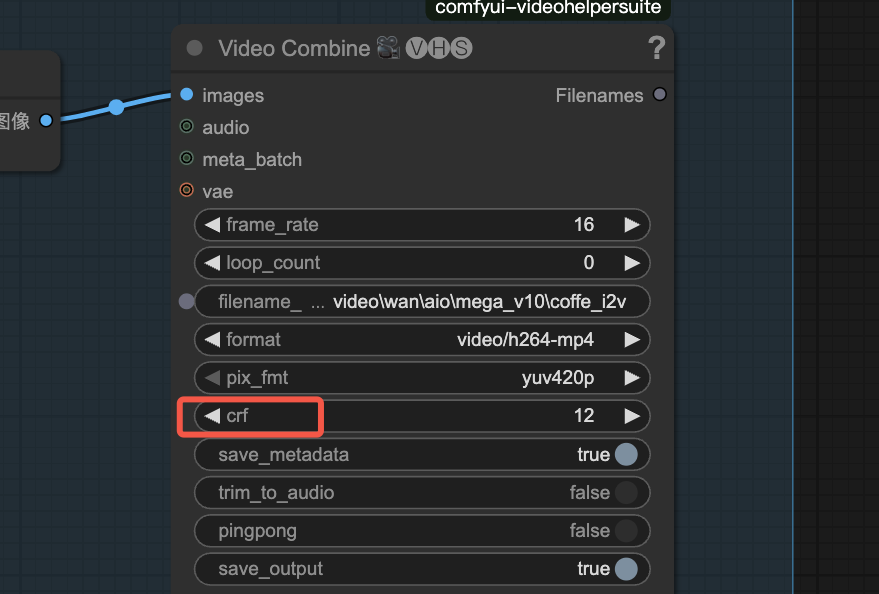
Q3:如何调整生成后视频的画质和文件大小?
A:调整 CRF — Constant Rate Factor(恒定质量因子)。这是视频压缩编码器(比如 x264/x265/AV1/VVC 等)里常用的一个参数,用来控制 视频质量与文件大小之间的平衡。
我想一键使用!
不会或者不想折腾环境的同学,我直接做好了可以一键运行的镜像:wan2.2

电影级数字人,免显卡端渲染SDK,十行代码即可调用,工业级demo免费开源下载!
更多推荐


 18
18 0
0- 0


 已为社区贡献1条内容

所有评论(0)